Agile project management has revolutionized the way teams collaborate and deliver projects. By embracing flexibility and iterative development, agile methodologies help organizations adapt quickly to changes, ensuring projects stay on track and meet evolving client needs.
The stakes are high. According to the Standish Group's Chaos Report, only 39% of agile projects are considered successful, highlighting the importance of selecting the right tool to streamline your process. Whether you’re an agile veteran or just getting started, finding software that aligns with your team's needs can be the difference between success and failure.
Yet, choosing the right agile project management tool can be daunting with so many options available.
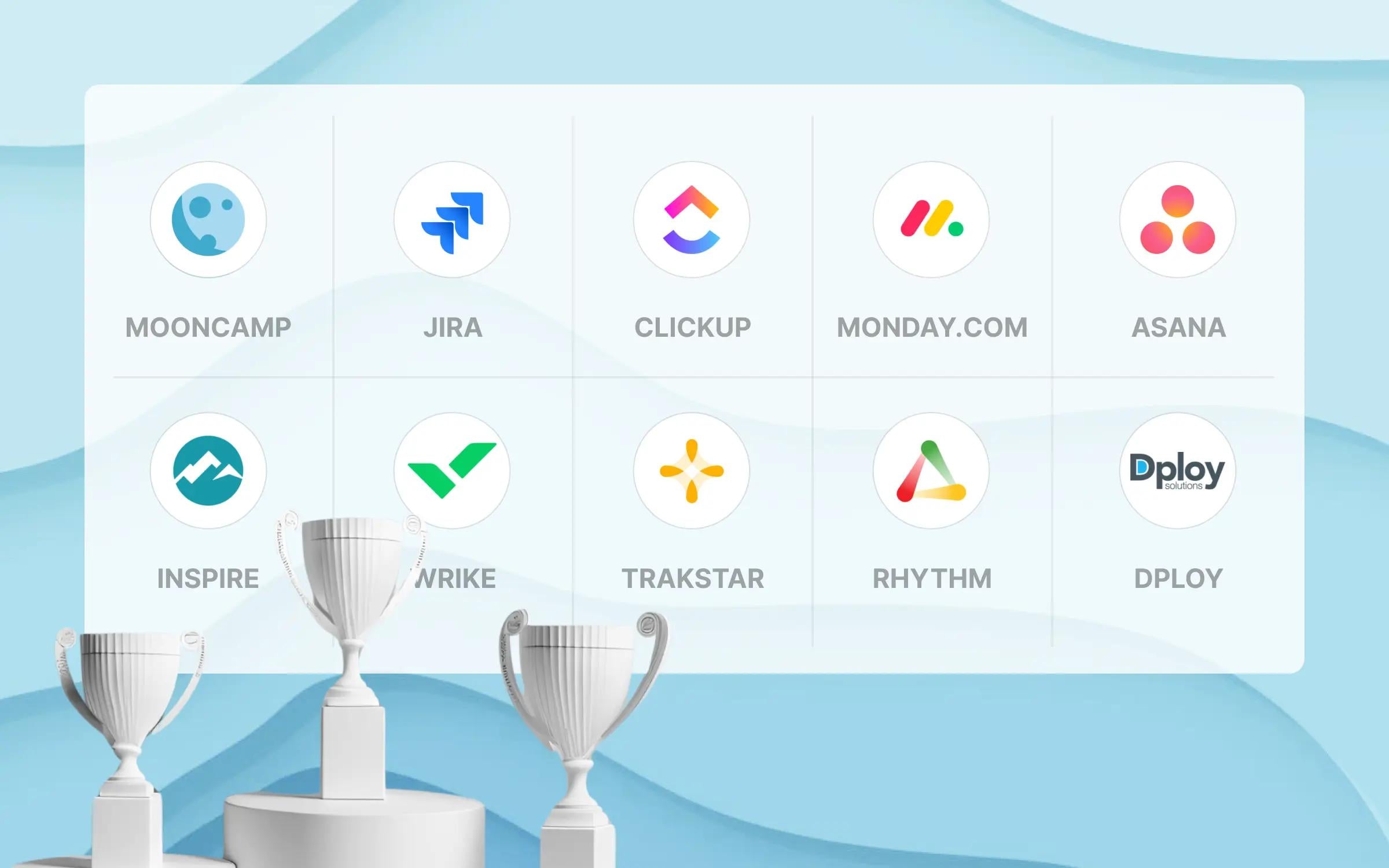
To make your decision easier, we've compiled a list of the 10 best agile project management tools. These tools have been selected based on their features and overall effectiveness in helping teams execute agile projects, and user reviews.
Research method: To determine the best software available, we combined data from reputable comparison sites like G2 and Capterra, including reviews, feature ratings, service evaluations, awards, overall satisfaction, popularity, and willingness to recommend. Additionally, each tool was assessed based on criteria such as ease of use, customizability, breadth and depth of features, data security, customer support, and pricing. Mooncamp, Jira, ClickUp, Monday.com, Asana and Wrike offer a free trial or a free plan, and we tested them hands-on. Inspire, Trakstar Perform, Rhythm Systems and Dploy Solutions offer no free trial, so we compared them using their public documentation, pricing pages and user reviews on G2 and Capterra.
Want to find the best agile project management tool for your company? Then take a look at this list to find the best match.
Mooncamp makes one of the tools compared here.
Top 10 agile project management software
Check out the in-depth breakdown below.
Agile project management software comparison criteria
When picking an agile project management tool, it's important to know which features will help your team get stuff done. To find the right fit, start by understanding what makes a tool effective for agile projects. Here’s what to look out for:
- User experience (UX):
- Ease of use: A great agile tool should be easy to use, catering to all team members, regardless of their technical background. Opt for platforms that offer comprehensive onboarding and reliable customer support.
- User interface (UI): The design of the interface plays a significant role in project management. Tools with clear layouts, visual progress indicators, and easy navigation can help streamline your agile processes.
- Important functions:
- Visual tools: Agile relies heavily on transparency and visibility. Look for software that offers visual management tools like Kanban boards, Gantt charts, or timeline views to keep the team on the same page.
- Customizability: Since no two agile teams are the same, it’s important to choose software that allows you to tailor workflows and reports to your specific needs.
- Collaboration: Agile thrives on collaboration. Software with built-in communication tools, shared task boards, and real-time updates ensure smooth teamwork.
- Analytical reporting: Agile requires frequent adjustments based on data. Tools with powerful reporting capabilities help you monitor progress and make informed decisions.
- Integrations: The software should integrate with other tools your team uses, such as Slack, Jira, or GitHub, to enhance productivity and workflow efficiency.
- Value for investment: The tool should offer a good balance of features and cost, enhancing project management without unnecessary expenses.
- Data protection: Make sure the tool you choose includes strong security measures and complies with regulations like GDPR to protect your project data.
What is the best agile project management software?
1. Mooncamp
Best for teams that run sprints in another tool and want their company OKRs in one place. Mooncamp is OKR and strategy execution software, not a sprint or backlog tool; every plan includes data integrations such as Jira.
Mooncamp is OKR and strategy execution software that keeps teams’ goals and initiatives aligned with the company’s strategic goals. Every plan includes unlimited goals, initiatives and hierarchy levels, a fully customizable goal system, check-ins with reminders in Slack and Microsoft Teams, and data integrations such as Jira, Excel and Google Sheets. The Professional plan adds a goal tree, custom charts, and goal and OKR rules (Mooncamp pricing, checked November 2026).
Most importantly, Mooncamp is designed to be simple and intuitive, making it easy for teams of any size to track progress, adjust plans, and see how daily tasks contribute to the bigger picture. Customers can contact Mooncamp’s support team via chat or email at any time, and you can test Mooncamp free for 14 days without a credit card.
Standout features
Whether you’re managing a small team or a large enterprise, Mooncamp keeps everything running smoothly with minimal effort. Here’s what makes Mooncamp stand out:
- Visual roadmaps: Keep your agile projects aligned with the big picture using visual tools like strategy maps and goal cascades. These features give everyone on the team a clear view of how their tasks contribute to overall objectives, ensuring organizational alignment and transparency.
- Project tracking: Stay on top of your projects with live dashboards that break down progress by department and flag goals at risk. This allows for quick adjustments, keeping everything running smoothly.
- Customization: Rigid tools create friction. Mooncamp lets you define your own goal-setting framework and customize templates, terminology, and workflows to match your processes. This ensures your agile projects align perfectly with your team's goals, working style, and strategic objectives.
- Check-ins: Mooncamp’s check-ins help your team stay in sync, ensuring that everyone knows what’s expected of them and how their work ties into the bigger picture.
- Intuitive design: With Mooncamp, there’s no need to worry about a steep learning curve. Its minimalistic and intuitive design makes it easy for any employee to find their way around, helping large teams implement the software rapidly, track their objectives effortlessly, and align their efforts with ease.
- Data protection: Mooncamp is built to comply with GDPR requirements. Every plan includes Google and Microsoft single sign-on; SAML-based SSO is an add-on on Essential and Professional and included in Enterprise, which also adds SCIM provisioning (Mooncamp pricing).
Mooncamp ratings and reviews
G2: 4.8/5 (based on 260+ reviews)
Capterra: 5/5 (based on 20+ reviews)
I love Mooncamp's flexibility and customization options. We can define different types of goals, including Objectives, Goals, Key Results, or anything else we like. Additionally, we can create our own fields to add any necessary information to our OKRs. The tool is easy to use and intuitive, with a great UI design.
⭐⭐⭐⭐⭐ Review on G2
While there is a lot to praise, one area that could use improvement is the mobile experience. Sometimes, navigating through the app on a smartphone can feel a bit clunky and not as smooth as the desktop version. Enhancing mobile usability would make it even more convenient to stay connected with team goals on-the-go.
⭐⭐⭐⭐⭐ Review on G2
Pricing
Essential plan: $7 per user per month (billed annually, minimum 5 users)
Professional plan: $10 per user per month (billed annually, minimum 5 users)
Enterprise: Custom pricing
Prices from Mooncamp’s pricing page, checked November 2026.
2. Jira
Best for software development teams.
Jira, by Atlassian, is a well-known agile project management tool. Atlassian says Jira supports any agile methodology for software development, including Scrum and Kanban.
Standout features
The tool was built with agile teams in mind, offering a range of features that support agile methods. Key features, from Atlassian’s Jira features and Scrum board pages, include:
- Custom workflows: Tailor fields and workflows to your team’s process, whether you use Scrum, Kanban or another agile method. This flexibility ensures that your team can work in the way that best suits them.
- Reporting: Provides detailed insights into project progress, helping teams make data-driven decisions. Out-of-the-box reports, including burndown and velocity reports, show how each sprint is progressing.
- Backlog prioritization: Keep a prioritized product backlog derived from the roadmap, where each item carries a description, rank, size estimate and value. This feature helps in aligning development efforts with business priorities.
- Sprint planning: The Jira board lets teams organize their work around the sprint timeframe. Jira’s sprint planning tools allow teams to forecast and manage workload effectively.
Jira ratings and reviews
G2: 4.3/5 (based on 5,900+ reviews)
Capterra: 4.4/5 (based on 14,300+ reviews)
Once you know how to use it, it is very helpful in keeping multiple teams working on the same project organized and helps to hold teams accountable for what's due/when.
⭐⭐⭐⭐ Review on G2
While Jira is powerful, it can be overwhelming for new users due to its complex interface. The learning curve is steep, particularly for non-developers. Additionally, some users find the lack of built-in Gantt charts or timeline views limiting for certain types of project planning. The implementation process can also be challenging without proper guidance, and customer support, while generally helpful, sometimes lacks the immediacy needed for urgent issues.
⭐⭐⭐ Review on G2
Pricing
Jira offers multiple pricing plans to suit different business needs and budgets. Jira’s pricing page lists these plans; its calculator works out the exact price from your number of users and billing cycle (checked November 2026):
The prices below are for teams of up to 100 members, with lower per-user rates available for larger teams:
Free: $0 for up to 10 users
Standard: $8.48 per user per month
Premium: $15.56 per user per month
Enterprise: Custom pricing
3. ClickUp
Best for teams in need of a Whiteboard feature.
ClickUp is a project management tool that caters to agile organizations by offering a wide range of features. The platform aims to centralize your work, offering tools for task management, goal tracking, and team collaboration all in one place. However, its overwhelming number of features can lead to a steep learning curve, making it hard for new users or teams seeking a simpler solution.
Standout features
ClickUp’s platform provides tools that help teams stay organized, collaborate effectively, and track their progress. Take a look at its key features, from ClickUp’s features page:
- Task automation: Automate repetitive work to save time and reduce errors, with rules that run actions when a trigger and its conditions are met, so teams can focus on higher-priority work. ClickUp's automation features help streamline workflows.
- Whiteboard: Ideal for teams needing a visual space to brainstorm and collaborate in real time. Brainstorm on an infinite canvas with shapes, sticky notes and drawings, then turn ideas into tasks. Live tasks and Docs can sit on the same Whiteboard.
- Sprint management: Plan work in time-boxed sprints with backlogs, sprint dates and Sprint Points. Sprint burndown and burnup cards on dashboards show remaining work and scope changes.
- Custom views: Teams can choose how they view tasks, whether in a list, on a Kanban board or in a calendar. This flexibility allows for personalized workflows for different team members.
ClickUp ratings and reviews
G2: 4.7/5 (based on 9,750+ reviews)
Capterra: 4.6/5 (based on 4,180+ reviews)
I have tried the majority of online task trackers as I'm Executive Assistant that supports multiple Execs, and I need a way to visually track and manage all tasks for each. I always come back to click up as it provides the option to really drill town on cards/tasks... add action items, notes, attachments, change font, assign tasks within a team.
⭐⭐⭐⭐ Review on G2
There are times when the refresh rate seems really low, and changes do not "stick" right away. For example changing status or assigning a task sometimes looks like it works, and then just "disappears", and the work has to be entered a second time. This happens more frequently when many changes are occurring in a workspace within a short time.
⭐⭐⭐ Review on G2
Pricing
ClickUp offers a flexible pricing strategy with several plans designed to cater to different types of users, ranging from individuals to large enterprises. The pricing tiers vary based on the features and capabilities offered at each level. ClickUp’s pricing page lists these plans, with paid plans billed yearly (checked November 2026):
Free Forever: $0
Core: $9 per user per month
Business: $17 per user per month
Enterprise: Custom pricing
4. Monday.com
Best for visual project management.
Monday.com is a work management platform that supports agile methodologies. It’s designed to help teams collaborate, plan, and track their work.
Standout features
Monday.com can be useful for teams that prefer visual project management tools. Here are Monday.com’s standout features, from its pricing page and Kanban page:
- Customizable workflows: Build and customize workflows that match your team’s agile process, with color-coded visuals that make it easy to track progress, and connect work across your boards and automate repetitive tasks. The Standard plan includes 3 workflows and 250 automation actions per month.
- Time tracking: Track and monitor the time spent on each task and projects, ensuring that your team stays on schedule (Pro plan and above).
- Collaboration tools: Foster collaboration with integrated tools for communication, file sharing, and task management. These features ensure that team members stay connected and can work together seamlessly, regardless of their location. Create docs and work on them with your team in real time, and give external guests access to only the boards you invite them to (guest access is on the Standard plan and above).
- Visual project boards: Use the Kanban view to see your project’s progress at a glance. The boards provide a clear overview of tasks, helping teams stay organized and on track. The Standard plan adds timeline, Gantt and calendar views.
Monday.com ratings and reviews
G2: 4.7/5 (based on 12,200+ reviews)
Capterra: 4.6/5 (based on 4,900+ reviews)
I love the visibility of Monday.com - how easy it is for everyone on a board to see where a specific project is at, ease of being able to add relevant documentation, and having greater clarity on project timelines.
⭐⭐⭐⭐ Review on G2
There are too many variations going on with it. It causes work overload especially with so many different tabs and folders that can be created so instead of having one section for work that needs to be completed Monday allows many different tabs and folders to be created and it causes confusion and hardship to navigate.
⭐⭐⭐ Review on G2
Pricing
Free: $0 for up to 2 seats
Basic: $9 per seat per month (billed annually)
Standard: $12 per seat per month (billed annually)
Pro: $19 per seat per month (billed annually)
Enterprise: Custom pricing
Paid plans start from 3 seats (monday.com pricing, checked November 2026).
5. Asana
Best for task management.
Asana is a project management tool that supports agile frameworks and gives teams the tools they need to manage tasks, projects, and workflows. However, some users find its limited customization options restrictive, especially for teams with more complex project tracking and reporting requirements.
Standout features
Asana’s features help break down projects into manageable tasks. Check out its key features, from Asana’s features page:
- Project views: Organize your work as a list, calendar, timeline, Gantt chart or Kanban board.
- Tasks with owners and due dates: Break projects into bite-size tasks, each with a clear owner and due date.
- Task dependencies: Manage task dependencies to ensure that tasks are completed in the right order, avoiding bottlenecks. This feature helps teams manage complex projects with multiple interdependent tasks.
- To-do lists: Offers a basic structure for organizing tasks into lists, helping teams manage day-to-day work.
- Portfolios: Monitor connected projects in one place and collaborate across teams.
Asana ratings and reviews
G2: 4.4/5 (based on 10,200+ reviews)
Capterra: 4.5/5 (based on 12,700+ reviews)
I've used Asana for a few different jobs, and as far as project progress tracking, it's pretty excellent. You're able to build easy to follow checklists, and set due dates, as well as expand on those tasks with links and documents if you need to. My company has switched to this for pretty much all project tasks, so we're using it daily, and weekly to track how things are going.
⭐⭐⭐⭐ Review on G2
It lacks flexibility compared to other tools like Smartsheet – not being able to set conditionals based on formulas (e.g. cascading due dates) to automate set up is a disadvantage.
The way that data is displayed (e.g. metrics for outcomes like $, %, etc.) are also too rigid because of the way the template is set up.
The dashboards again are also too narrow. It would be incredibly helpful to make data integrations easier to have a single place to display progress and outputs.
⭐⭐⭐ Review on G2
Pricing
Personal: $0 for up to 2 users
Starter: $10.99 per user per month (billed annually)
Advanced: $24.99 per user per month (billed annually)
Enterprise: Custom pricing
Prices from Asana’s pricing page, checked November 2026.
6. Inspire
Best for leadership development.
Inspire describes itself as a strategy execution platform for continuous performance management and OKRs. Inspire Software integrates agile project management with leadership and performance management. It helps teams align their work with organizational goals while fostering leadership development.
Standout features
Inspire puts leadership development at the center. Inspire’s focus on leadership development ensures that teams not only complete projects successfully but also grow in their ability to manage future projects. Here are its key features, from Inspire’s website:
- Leadership development: Coaching and development are built into the platform, turning strategy and performance data into leadership growth.
- Goal alignment: Company goals, team OKRs and individual objectives stay connected and are tracked in real time.
- Performance tracking: Manager dashboards surface performance trends early, and 360 feedback and structured reviews run in one workflow.
- Collaborative planning: Engage in collaborative planning to ensure that all team members contribute to project success.
Inspire ratings and reviews
G2: 4.7/5 (based on 100+ reviews)
Capterra: 5/5 (based on 1 review)
Being able to see how my goals rolled up to the company's goals helped me better understand the importance of my collaboration.
Being able to sit down weekly with my manager to see that I made progress toward my quarterly goals while also identifying the next actions were; allowed me to accomplish more than I thought possible.
⭐⭐⭐⭐⭐ Review on G2
There are still some functions of Inspire on the Administrative side I wish could be more customizable (such as removing certain quirks of manager awards). Thankfully, when we've brought these requests to Inspire, the reps always seem very receptive and willing to continue to improve their processes for our company.
⭐⭐⭐⭐⭐ Review on G2
Pricing
Inspire’s pricing page lists volume-based prices per user per month, billed annually (checked November 2026):
50-99 users: $16
100-149 users: $14
150-249 users: $12
250-499 users: $10
500-999 users: $5
1,000+ users: Custom quote
7. Wrike
Best for cross-functional teams.
Wrike is a project management tool designed to help cross-functional teams collaborate on projects. It supports agile methodologies and is particularly useful for teams that need to manage projects across different departments or locations, providing a centralized platform for collaboration and project tracking.
Standout features
Wrike’s ability to centralize project information and communication ensures that all team members stay aligned and informed. Sneak a peek at its standout features, from Wrike’s features page:
- Request forms: Dynamic request forms route requests from internal and external customers to one place. This feature helps streamline the project initiation process, reducing the likelihood of missed information.
- Gantt charts: An interactive timeline shows dependencies and milestones; drag and drop tasks and adjust due dates instantly.
- Backlog prioritization: Prioritize backlogs on Scrum boards and monitor progress with Agile dashboards. This feature helps teams focus on what’s most important, improving productivity and efficiency.
- Workload view: A workload chart shows each team member’s capacity, so you can spot uneven workloads and reallocate tasks.
Wrike ratings and reviews
G2: 4.2/5 (based on 3,700+ reviews)
Capterra: 4.3/5 (based on 2,600+ reviews)
This is my agency's one-stop shop for all task management. We use it every day across every department, to keep track of various clients, timelines, resourcing, and dependent projects. The segmentation tools are very useful to track employee's time across specific projects and clients, and the integration with Gmail makes task loading that much quicker.
⭐⭐⭐⭐ Review on G2
Wrike has a lot of bugs that need to be worked out - it is a confusing platform and very convoluted. It has potential but needs some things worked out, for example the million tasks within other tasks
⭐⭐⭐ Review on G2
Pricing
Wrike’s pricing page lists prices per user per month, billed annually (checked November 2026):
Free: $0
Team: $10 per user per month (2 to 15 users)
Business: $25 per user per month (5 to 200 users)
Pinnacle: Custom pricing
Apex: Custom pricing
8. Trakstar Perform
Best for performance evaluation.
Trakstar Perform, now part of Mitratech, is performance management software built around your review process, with goal-setting tools that link goals to reviews. Trakstar Perform focuses on OKRs and performance management but offers tools that agile teams can use to ensure that their work aligns with overall project goals. It’s particularly useful for teams that need to track performance metrics closely and ensure that all team members are contributing to project success.
Standout features
Trakstar Perform combines reviews, goals and continuous feedback. Trakstar Perform’s emphasis on continuous feedback and goal tracking makes it an invaluable tool for teams committed to continuous improvement.
Discover the tool’s key features, from Mitratech’s Trakstar Perform page:
- Performance reviews: Run annual, quarterly, project-based or 90-day reviews and track each one by status. Trakstar Perform’s review process helps teams stay aligned and ensures that performance issues are addressed promptly.
- Goal setting: Set SMART, metric or cascading goals for individuals, teams or the whole company. Goals link to reviews, so every evaluation has context. This feature helps teams stay focused on their goals and make adjustments as needed to stay on track.
- 360-degree feedback: Gather feedback from managers, peers, direct reports and people outside the company, anytime or inside a review cycle. This feature ensures that all perspectives are considered, leading to a more accurate assessment of performance.
- Customizable evaluation templates: Build unlimited review templates and choose from more than 100 competencies. These templates make it easier to conduct evaluations consistently and efficiently.
Trakstar Perform ratings and reviews
G2: 4.1/5 (based on 450+ reviews)
Capterra: 4.4/5 (based on 280+ reviews)
Trackstar Perform is a great way to keep track of employee evaluations, ensure timeliness of evaluation completion, scoring, and feedback. It also allows for employees to set and track their own goals and for employees to leave each other feedback and for the employee to leave notes with project progress updates.
⭐⭐⭐⭐ Review on G2
As an administrator, the platform is difficult to navigate. For example, there are no instructions on how employees should upload goals and complete their self assessment at a glance. Our leadership team had to create easy to do instructions.
⭐⭐⭐ Review on G2
Pricing
Trakstar Perform doesn’t publish prices. Its pricing page, now on Mitratech’s site, offers a customized quote during a demo (checked November 2026).
Although Trakstar Perform doesn’t display pricing details on its website, we found the following information on TrustRadius:
Starting price: $4,370 per year
9. Rhythm Systems
Best for mid-sized companies.
Rhythm Systems is a strategy execution platform that can help agile teams align their daily work with long-term business objectives. Rhythm Systems says its software is purpose-built for middle-market companies with $10 million to $500 million in revenue. It's perfect for mid-sized companies, as it streamlines project management processes, enabling organizations to scale their strategic initiatives as they grow.
Standout features
Rhythm Systems provides tools to connect daily tasks with strategic goals. The tool’s standout features, from Rhythm Systems’ website, are as follows:
- Strategy maps: Visualize how daily tasks connect to broader business goals, ensuring alignment across the organization. These maps provide a clear view of the strategic direction.
- KPI tracking: Real-time KPI dashboards and weekly KPIs show progress against strategic goals, helping teams stay on target.
- Meeting management: Weekly Adjustment Meeting templates keep meetings focused on progress toward goals. These meeting management tools help teams stay organized and ensure that meetings are productive and focused on achieving goals.
- AI goal-writing coach: The Smart Goal Writer drafts SMART goals with measurable success criteria, a named owner and a red, yellow and green threshold, and Ask Patrick acts as an AI strategy coach around the clock. An optimal feature for agile teams, where flexibility and speed are key.
Rhythm Systems ratings and reviews
G2: 4.4/5 (based on 340+ reviews)
Capterra: 4.6/5 (based on 10+ reviews)
Rhythm is an app designed to help a team accomplish goals. It does a great job at allowing you to pick big projects (or any size projects really) and break them down into a schedule to accomplish them, and assign them out to team-members. It includes all expected corporate tenets such as KPI's, places for meetings, daily huddles, and literally everything you can think of to keep a team organized and on task.
⭐⭐⭐⭐ Review on G2
The interface can be confusing at times and certain features do not seem intuitive.
⭐⭐⭐ Review on G2
Pricing
Rhythm Systems publishes no prices on its website and offers no free trial, only a free strategy execution assessment (checked November 2026).
Although the exact prices are no longer displayed on their website, Rhythm Systems previously listed the following subscription prices on Capterra:
Software: Starts at $40.00 per user per month
Planning & Software: Custom pricing
Planning & Software Plus: Custom pricing
10. Dploy Solutions
Best for operational excellence in the manufacturing sector.
Dploy Solutions is strategy deployment and KPI management software that is particularly well-suited for operational excellence in the manufacturing sector due to its focus on integrating strategy deployment, KPI management, and continuous improvement into a single platform.
Standout features
With its strong focus on process management and real-time analytics; Dploy Solutions is ideal for teams that need to maintain top-tier performance while remaining agile. These are Dploy Solutions’ key features, from Dploy Solutions’ website:
- Automated KPI tracking: KPI metrics update automatically, and the Business plan adds FTP data integration and interactive charts with drill-down for deeper analysis. Dploy Solutions enables manufacturing teams to track critical KPIs relevant to their specific processes, such as productivity, quality, and safety metrics. It provides real-time insights, helping teams detect issues and make timely adjustments.
- Tier dashboards: Tier dashboards let employees at all levels see how daily improvement actions connect to the success of the strategic plan.
- Real-time analytics: Access real-time analytics to identify bottlenecks and make adjustments quickly. This feature helps teams stay agile and respond to issues as they arise, ensuring that projects stay on track.
- Strategy deployment: The Strategy plan supports strategic planning with the Hoshin Kanri framework and its X-Matrix, and tracks project plans, root causes, countermeasures and action items. It aligns company-wide goals with operational tasks, helping teams stay focused on lean principles and progress tracking.
Dploy Solutions ratings and reviews
G2: 4.5/5 (based on 30+ reviews)
Capterra: -
Dploy help us easily visualized the objective using the visual data. Keep our team organized and weekly meeting is only to discuss objective progress, not to determine the objective, which has saves our time.
⭐⭐⭐⭐ Review on G2
The user interface isn't very straightforward to navigate. It would be nice to have some additional formula options for metrics.
⭐⭐⭐ Review on G2
Pricing
Dploy Solutions customizes its pricing to the software package and number of users (Dploy Solutions pricing, checked November 2026):
KPI Plan: Custom pricing
Strategy Plan: Custom pricing
Business Plan: Custom pricing
We’ve lined up the top agile contenders: now it’s your turn to choose the champion that’ll lead your projects to success.
Conclusion: Choosing the right agile project management software
Now that you’ve got the lowdown on the best agile tools, the next step is finding your perfect match. Use this list of the 10 best agile project management tools to simplify your search.
Start by cutting down the list to a few top contenders, and focus on what features are non-negotiable for your workflow.
Once you've narrowed it down, bring in a few team members to test the software and see how each tool handles real-world collaboration. From there, you can wrap it up with a vendor demo to address any remaining questions and fully explore the software's potential.
This approach will help you make a well-rounded decision.
If Mooncamp has your interest piqued, feel free to try it out on your own or reach out to our friendly experts for a personalized walkthrough.