In today's fast-paced business world, effective strategy execution is vital for staying ahead. Yet, a staggering 67% of strategies fail due to poor execution. Enterprise strategy management software connects a company's strategy to the goals, KPIs and initiatives that carry it out, so leaders can follow progress across business units without collecting status updates by hand.
Here’s the problem: The cost of enterprise strategy management software varies widely, and it's not always clear which tool offers the best return on investment. With so many options available, finding the right tool can be daunting, especially when your organization's success is on the line.
Pricing models differ: some tools charge per user per month, OnStrategy charges a flat monthly fee for unlimited users, some require an annual contract with a user minimum, and four publish no prices at all. Each entry below states its pricing basis and links the vendor's pricing page.
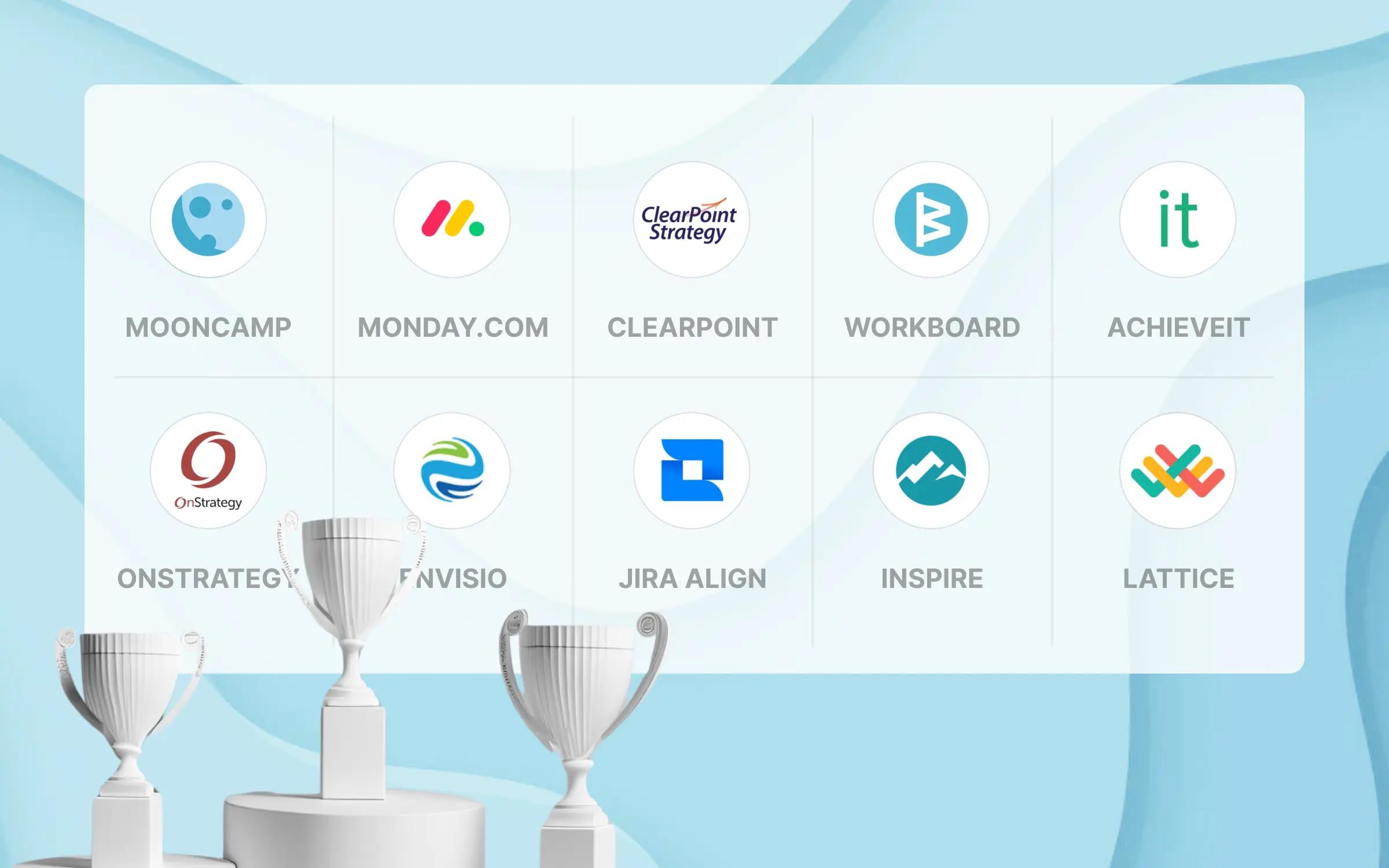
To help you navigate this landscape, we've curated a list of the top 10 enterprise strategy management software solutions in 2024. Our selection is based on reviews from trusted sites like G2 and Capterra and other key evaluation criteria.
How we compared: We compared these 10 tools using each vendor's website and pricing page (checked November 2026) and their public ratings on G2 and Capterra.
Research method: To determine the best software available, we combined data from reputable comparison sites like G2 and Capterra, including reviews, feature ratings, service evaluations, awards, overall satisfaction, popularity, and willingness to recommend. Additionally, each tool was assessed based on criteria such as ease of use, customizability, breadth and depth of features, data security, customer support, and pricing.
Mooncamp makes one of the tools compared here.
Explore the list below to find the perfect strategy management software for your organization.
Top 10 Enterprise strategy management software
Get the complete rundown below.
Enterprise strategy management software comparison criteria
For the best choice in enterprise strategy management software, be sure to weigh these criteria:
- User experience:
- Ease of use: Look for software that is user-friendly and easy to navigate, providing a hassle-free onboarding experience for all users.
- Interface: Choose a tool with an intuitive and attractive interface that enhances the user experience.
- Features and functionality:
- Goal visualization: Select software that clearly visualizes goals and offers a variety of display options.
- Customization: Opt for a flexible solution that can be customized to suit your organization's needs. The software should adapt to your terminology, processes, and workflows rather than forcing a rigid approach.
- Collaboration: Ensure it includes features for team collaboration and feedback, supporting organizational goal alignment.
- Reporting: Look for comprehensive dashboards, reporting tools, and analytics features.
- Integrations: Make sure the tool integrates well with other platforms like Microsoft Teams or Slack and offers seamless syncing with other software.
- Cost/benefit analysis: The cost of the software should align with the features and benefits it offers.
- Security compliance: Confirm that the software complies with GDPR or other relevant data protection regulations.
- Support for agile methodologies: If your organization uses agile practices, choose software that integrates well with agile frameworks, ensuring seamless strategy execution at scale.
What is the best enterprise strategy management software?
1. Mooncamp
Best for enterprises that want strategy, OKRs and check-ins in one customizable goal system.
Mooncamp is OKR and strategy execution software. Every customer can reach support by chat or email; accounts with a contract volume of $10,000 or more get priority support and onboarding sessions with the customer success team, and Enterprise customers get a dedicated account manager.
Standout features
Every plan includes unlimited goals, initiatives and hierarchy levels, a fully customizable goal system, check-ins with reminders in Slack and Microsoft Teams, and data integrations such as Jira, Excel and Google Sheets. The Professional plan adds a goal tree, goal rules, goal weighting and custom charts.
Other key features include:
- Check-ins: Regular check-ins help your team stay focused on the bigger picture instead of getting caught up in daily tasks. This feature keeps them aligned with strategic goals, ensuring they don’t lose sight of what truly matters.
- Customizability: Every enterprise operates differently. Mooncamp lets you tailor properties, terminology, and metrics to align with company objectives. Define your own goal-setting framework and workflows so the tool fits your organization, not the other way around.
- Visualization: Empower your enterprise by bringing goals and strategies to life with tools like strategy maps, goal cascades, and network diagrams. These visuals foster transparency, ensuring that every team member across locations and departments is aligned and informed.
- Reporting and analytics: Mooncamp’s dashboards offer enterprises a comprehensive view of reports, simplifying the tracking of goal progress across the entire company or within specific teams. It allows leaders to quickly spot trends, identify areas needing improvement, and make strategic adjustments to keep the company aligned with its objectives.
- Intuitive UI: Mooncamp’s user-friendly design is a key asset for enterprises with non-tech users. Its clean and intuitive interface ensures easy navigation for employees at all levels, enabling large teams to quickly adopt the software, track goals, and align strategies seamlessly.
- Data protection: GDPR-compliant processing under a data processing agreement, with ISO 27001-certified server locations.
Mooncamp ratings and reviews
G2: 4.8/5 (based on 260+ reviews)
Capterra: 5/5 (based on 20+ reviews)
Mooncamp's intuitive design is by far its strongest asset. The platform offers a seamless integration of goal-setting and progress tracking tools that truly enhance productivity and team collaboration. I especially appreciate how easy it is to visualize our team's achievements and adjust our goals dynamically as our project evolves.
⭐⭐⭐⭐⭐ Review on G2
While there is a lot to praise, one area that could use improvement is the mobile experience. Sometimes, navigating through the app on a smartphone can feel a bit clunky and not as smooth as the desktop version. Enhancing mobile usability would make it even more convenient to stay connected with team goals on-the-go.
⭐⭐⭐⭐⭐ Review on G2
Pricing
Essential plan: $7 per user per month, billed annually (minimum 5 users)
Professional plan: $10 per user per month, billed annually (minimum 5 users)
Enterprise: Custom pricing (minimum 100 users)
Mooncamp offers a 14-day free trial, no credit card required (Mooncamp pricing, checked November 2026).
2. Monday.com
Best for integrating project management tasks with strategic initiatives.
Monday.com is a collaborative work platform that simplifies project management by bringing together tasks, workflows, and communication in one place. It's designed to help teams work more cohesively.
Standout features
While not specifically tailored for strategy management, Monday.com is a platform for planning, tracking, and executing projects, making it a valuable asset for strategic initiatives.
Key features that can enhance your strategy management include, according to monday.com's pricing page:
- Portfolio management (Enterprise plan): Connects projects to one portfolio with real-time health snapshots. Offers a comprehensive overview of all current projects and their alignment with strategic objectives, enabling better resource distribution, risk mitigation, and task prioritization.
- Time tracking (Pro plan): Tracks the time spent on each task. Simplifies the process of tracking time spent on tasks, either with a quick click or manual entry, leading to improved project management and overall efficiency.
- Docs: Docs that the team edits together in real time; the Free plan includes up to 3 Docs. The integrated workdocs feature allows for the creation of documents with up-to-the-minute project details, perfect for drafting strategic plans, meeting notes, and proposals.
Monday.com ratings and reviews
G2: 4.7/5 (based on 12,200+ reviews)
Capterra: 4.6/5 (based on 4,900+ reviews)
I love the visibility of Monday.com - how easy it is for everyone on a board to see where a specific project is at, ease of being able to add relevant documentation, and having greater clarity on project timelines.
⭐⭐⭐⭐ Review on G2
There are too many variations going on with it. It causes work overload especially with so many different tabs and folders that can be created so instead of having one section for work that needs to be completed Monday allows many different tabs and folders to be created and it causes confusion and hardship to navigate.
⭐⭐⭐ Review on G2
Pricing
Free: $0.00 for 2 users per month
Basic: $9.00 per user per month (Billed annually)
Standard: $12.00 per user per month (Billed annually)
Pro: $19.00 per user per month (Billed annually)
Enterprise: Custom pricing
Paid plans start at 3 seats, and monthly billing costs more than annual billing (monday.com pricing, checked November 2026).
3. ClearPoint
Best for AI-assisted reporting on strategic goals.
ClearPoint is a strategy execution solution that leverages AI to assist companies in visualizing and managing their strategic planning and reporting processes.
Standout features
ClearPoint offers a suite of tools that not only help you build and monitor strategic plans but also foster collaboration across teams, ensuring everyone is aligned on key objectives.
Main features include, according to ClearPoint's website:
- Report templates: Reduce time spent on administrative tasks with ClearPoint’s customizable templates, which standardize reporting and allow for more focus on strategy.
- Automated reporting: Reports refresh automatically with the latest numbers, so nobody has to update them by hand.
- AI assistant: Answers questions about your strategy data, drafts a plan with key objectives and milestones, and explains variances in the data. Utilizes AI for comprehensive data analysis, trend identification, and predictive analytics, empowering proactive strategic adjustments.
- Integrated planning and reporting: Combines strategic planning and business reporting in one platform.
ClearPoint ratings and reviews
G2: 4.7/5 (based on 110+ reviews)
Capterra: 4.9/5 (based on 40+ reviews)
ClearPoint allows a lot of opportunity to enter, track, and view data and key metrics. With ClearPoint I am able to easily look up the status of certain metrics and can take a deeper dive into the data when need be.
⭐⭐⭐⭐ Review on G2
There is an understandable limit to the customization capability - however, it is less of a dislike and more of a constraint.
⭐⭐⭐⭐ Review on G2
Pricing
ClearPoint publishes no prices and gives each customer a price after a short call. Plans start at 10 users (ClearPoint pricing, checked November 2026).
Although the exact prices are no longer displayed on their website, ClearPoint previously listed the following subscription prices on SaaSworthy:
Pro: $800 for 10 users per month
Enterprise: Custom pricing
4. WorkBoard
Best for automating scorecards and business reviews.
WorkBoard is an AI-native strategy execution platform with an OKR module, designed to help organizations align their goals, monitor progress, and drive results. WorkBoard is US-based.
Standout features
WorkBoard focuses on the operating cadence that keeps strategy and execution aligned: scorecards, business reviews and meetings. Key features include, according to WorkBoard's website:
- Real-time scorecards: Provides visual scorecards that display the current status of strategic initiatives, making it easy to monitor progress.
- Scorecard and business review automation: Automates scorecards, monthly and quarterly business review (MBR and QBR) materials, and pre-reads.
- Automated meeting summaries: After a meeting, Workboard automatically generates summaries of key decisions, action items, and next steps, which are then sent to all participants to ensure clarity on what was discussed and the required follow-ups.
- Meeting agendas: Provides outcome-driven meeting agendas.
- Meeting integration with OKRs: Workboard’s meeting tools integrate seamlessly with its OKR and task management features, allowing teams to review OKR progress, update task statuses, and assign new responsibilities directly within the platform during meetings.
- AI agents for OKRs: The OKR module includes a Chief of Staff agent that runs managers' operating cadence.
WorkBoard ratings and reviews
G2: 4.7/5 (based on 90+ reviews)
Capterra: 4.5/5 (based on 10+ reviews)
It's very helpful to see everyones goals at a high level and where they align.
⭐⭐⭐⭐ Review on G2
Sometimes there is a downtime so it’s a little irritating.
⭐⭐⭐ Review on G2
Pricing
WorkBoard publishes no prices: its pricing page only offers a demo (checked November 2026).
Although WorkBoard doesn’t display pricing details on its website, we found the following information on SoftwareSuggest:
Basic Team: $9.00 per user per month
Elite Team: $20.00 per user per month
Elite Enterprise: $50.00 per user per month
5. AchieveIt
Best for performance management.
AchieveIt is strategy execution management software for carrying out strategic goals. It consolidates data from across an organization and automates progress reports. It helps organizations align their teams, monitor key performance indicators, and achieve their strategic objectives.
Standout features
As a tool for performance management, AchieveIt brings collaboration to the forefront, simplifies KPI tracking, and supports effective strategy execution. Alongside the software, AchieveIt's execution experts help customers implement their plans, run regular business reviews and train their teams.
AchieveIt’s standout features include, according to AchieveIt's website:
- Plan overview: Connects areas of focus and individual goals for a bird's-eye view of the plan. Offers a bird's-eye view of all strategic projects and initiatives, enabling leaders to effectively oversee and coordinate multiple efforts.
- Document sharing: Supports easy sharing and storage of key documents, keeping all project-related information accessible within the platform.
- Automated reporting: Consolidates data from your systems into automated reports with a real-time picture of progress, and supports public dashboards. Features dedicated dashboards for monitoring progress towards strategic goals, delivering real-time insights into the organization’s performance.
AchieveIt ratings and reviews
G2: 4.4/5 (based on 150+ reviews)
Capterra: 4.7/5 (based on 20+ reviews)
Helpful to see and monitor the progress towards project completion. The ability to provide comments to detail progress during a specific project period is great, as well as the ability to edit and update as necessary.
⭐⭐⭐⭐ Review on G2
The product is clunky at times and the views don't do a good job showing the feature set.
⭐⭐⭐ Review on G2
Pricing
AchieveIt publishes no prices. Its three plans (Core, Plus and Pro) are quoted on request, and every plan has a 20-user minimum (AchieveIt pricing, checked November 2026).
Although AchieveIt doesn’t display pricing details on its website, we found the following information on ITQlick:
Core: $70.00 per user per month
6. OnStrategy
Best for mid-sized organizations.
OnStrategy is a consulting firm and software provider focused on strategic planning (OnStrategy). Its software is designed for leaders of mid-sized organizations to align, design, execute and report on their strategic plan. The software provides a range of simple and intuitive tools specifically designed to aid the strategy execution process.
Standout features
Its Self-Guided Planning plan covers building and communicating the strategy, managing goals and OKRs, and publishing results.
Check out OnStrategy’s standout features:
- Strategy planning templates: Offers a range of templates that simplify the strategic planning process, allowing teams to get started quickly.
- Strategy and OKRs: Build and communicate the strategy, then set up and manage goals and OKRs.
- KPI management: This tool allows users to set, track, and manage goals and KPIs. Goals can be aligned with the overall strategic objectives of the organization, ensuring that every team and department is working towards the same outcomes.
- Quarterly execution cycle: Runs the quarterly execution cycle and publishes and shares results.
- Action management: This feature helps users assign tasks, set deadlines, and track the completion of specific actions that are part of the strategic plan, ensuring that all necessary steps are taken.
- Courses and coaches: The plan includes on-demand courses and coaches.
OnStrategy ratings and reviews
G2: 4.8/5 (based on 4 reviews)
Capterra: 4.8/5 (based on 5 reviews)
The best part is that the tool acts as a platform so we can as a team align our planned goals. We use this tool on weekly basis by following the tasks, but on a monthly basis, we share where we stand against the yearly plan. The main purpose of the tool is not to lose sight of goals. We even have a specialist from the onStrategy company who is leading this initiative. I find it very important since it is not natural to maintain long and mid-term focus. With specialists and the tool, we have our execution right on the target even if we miss one or two KPIs. We see the broader picture which makes us stronger and well balanced.
⭐⭐⭐⭐⭐ Review on G2
Its price is somewhat expensive, should give the user the ability to choose plans according to the number of users, for example or the size of the company, since for a small company or under development can generate great budgetary impact.
⭐⭐⭐⭐⭐ Review on G2
Pricing
Self-Guided Planning: $200 per month for unlimited users, with no long-term commitment
With Guided Planning: $500 per month for unlimited users
Expert-Led Planning: price on request (expert help to build a strategy in 60 days)
OnStrategy offers a free trial (OnStrategy pricing, checked November 2026).
7. Envisio
Best for public sector and non-profits.
Envisio is a strategy execution platform that offers tools for managing and executing strategic plans.
Standout features
Envisio's features cater to the unique needs of public sector organizations and non-profits, helping them achieve their strategic goals.
Take a look at Envisio’s key features, according to Envisio's website:
- Public transparency reporting: Shares progress through automated reports and public dashboards.
- Community engagement tools: Offers tools to engage with stakeholders and gather feedback, ensuring that strategic plans align with public needs.
- Linked plans: Creates, tracks, links and reports across all of an organization's plans. Combines strategic planning with actionable steps, making it easier to execute and track progress.
Envisio ratings and reviews
G2: 4.6/5 (based on 10 reviews)
Capterra: 4.6/5 (based on 20+ reviews)
The best thing is that Envisio provides a one-stop shop for tracking strategic plan elements and action steps, communicating on the steps, reporting for Commission, and sharing information.
⭐⭐⭐⭐ Review on G2
Envisio occasionally experiences glitches in the software that can be frustrating and annoying, but are usually easy to work around. We sometimes wish that there were more complex capabilities and flexibility as well.
⭐⭐⭐⭐ Review on G2
Pricing
Envisio publishes no prices. It sells a Starter plan (one plan and one public dashboard) and an Enterprise plan (unlimited plans), and its quotes include a tailored implementation proposal (Envisio pricing, checked November 2026).
Envisio operates on a custom pricing model, meaning the cost varies based on your organization’s specific needs, size, and the number of strategic plans you want to manage.
Although Envisio doesn’t display pricing details on its website, we found the following information on Capterra:
Starting price: $20,000 per year for unlimited users
8. Jira Align
Best for agile project management.
Jira Align is Atlassian's strategy execution software that supports agile frameworks, making it ideal for organizations that use agile methodologies at scale.
Standout features
The software connects to Jira and Azure DevOps, so teams keep working there while Jira Align coordinates planning at the program, portfolio and enterprise levels (Atlassian).
Jira Align’s key features include:
- Agile portfolio management: Provides tools for managing agile portfolios, ensuring that all projects are aligned with strategic objectives.
- Scaled agile frameworks: Supports SAFe, Scrum@Scale, Disciplined Agile and LeSS, as well as homegrown models and hybrids of agile and waterfall.
- Enterprise-level planning: Connects enterprise strategy to team-level delivery across programs and portfolios.
- Real-time insights: Offers real-time data and insights into how strategic initiatives are progressing, helping teams stay aligned with goals.
- Investment reporting: Shows executives what an investment returned, using live delivery data.
Jira Align ratings and reviews
G2: 4.1/5 (based on 10+ reviews)
Capterra: 4.8/5 (based on 9 reviews)
Vendor responsiveness to issues is great. Has great potential and many industry-unique capabilities
The best thing is it's integrated capabilities and the ability to handle the very real challenges of what larger corporation need in terms of tracking of progress, financials, planning with that of Agile teams and Agile delivery practices.
⭐⭐⭐⭐ Review on G2
The visualization was not aligned to actual PI planning work and it was difficult to follow the PI planning effectively
⭐⭐ Review on G2
Pricing
Atlassian now sells Jira Align as part of its Strategy Collection, together with Focus and Talent. Seats are bought for the whole collection; they cannot be bought for one app alone.
Strategy Collection: $77,400 per year for the 1-50 user tier, billed annually. Jira Cloud Premium is required, and there is no free trial (Atlassian Strategy Collection pricing, checked November 2026).
9. Inspire
Best for leadership development.
Inspire is a strategy execution platform for continuous performance management and OKRs, with leadership development and coaching built in.
Standout features
With Inspire, you get a unified solution for goal setting, performance tracking, and leadership growth, all in one place.
Here’s what it offers, according to Inspire's website:
- Leadership development: Coaching and development are built into the platform and draw on strategy and performance data.
- 360-degree feedback: Runs 360 feedback and structured reviews in one workflow.
- AI assistance: Drafts meeting summaries, reviews and performance narratives.
Inspire ratings and reviews
G2: 4.7/5 (based on 100+ reviews)
Capterra: 5/5 (based on 1 review)
Being able to see how my goals rolled up to the company's goals helped me better understand the importance of my collaboration.
Being able to sit down weekly with my manager to see that I made progress toward my quarterly goals while also identifying the next actions were; allowed me to accomplish more than I thought possible.
⭐⭐⭐⭐⭐ Review on G2
There are still some functions of Inspire on the Administrative side I wish could be more customizable (such as removing certain quirks of manager awards). Thankfully, when we've brought these requests to Inspire, the reps always seem very receptive and willing to continue to improve their processes for our company.
⭐⭐⭐⭐⭐ Review on G2
Pricing
50-99 users: $16 per user per month
100-149 users: $14 per user per month
150-249 users: $12 per user per month
250-499 users: $10 per user per month
500-999 users: $5 per user per month
1,000+ users: custom quote
All tiers are billed annually, with a 50-user minimum, and onboarding typically costs under $5,000 (Inspire pricing, checked November 2026).
10. Lattice
Best for aligning employees with strategic goals.
Lattice is HR and people management software for performance reviews, goals and OKRs, engagement and compensation (Lattice); its Goals & OKRs module can be bought on its own (Lattice pricing). Lattice is a performance management platform that integrates strategy execution features, making it ideal for organizations that want to align employee performance with strategic goals.
Standout features
With a robust set of performance management tools, Lattice helps organizations drive performance by aligning employee goals with the company’s broader strategic objective.
Here are Lattice’s standout features for strategy management:
- Career development (Grow): Makes career progression clear for employees. This is aligned with performance management to ensure that career growth is in sync with strategic goals.
- Engagement surveys: Surveys with AI-powered insights. Leverage Lattice's engagement analytics for advanced insights that go beyond basic engagement scores. This tool delves into the drivers of engagement, providing detailed analysis segmented by demographics, teams, or other custom criteria.
- 1:1 meetings: Supports regular one-on-one conversations between managers and their reports. This built-in tool streamlines 1:1 meetings between managers and employees by enabling both parties to set agendas, take notes, and track action items – all within the platform for seamless follow-up and accountability.
Lattice ratings and reviews
G2: 4.7/5 (based on 3,890+ reviews)
Capterra: 4.5/5 (based on 160+ reviews)
As a user of Lattice for the last 4 years or so, I've loved the capability of keeping essentially everything performance-related in one central location. Outside of performance, things like 1:1's and even notes to myself. The product is very easy to use and it's been a tool I recommend implementing when I have worked at several start-ups.
⭐⭐⭐⭐ Review on G2
Lattice is sort of clunky in how it operates. There are some areas that are not set up to be used easily by the admin user. While you can run performance reviews using the tool, once you have launched a review the editing capabilities are almost zero, which means you have to relaunch a survey if you make one minor mistake.
⭐⭐⭐ Review on G2
Pricing
Foundations (Performance and Goals & OKRs together): $13 per seat per month
Talent management: $11.00 per user per month
Performance: $10 per seat per month
Goals & OKRs: $8 per seat per month
Engagement: $4 per seat per month
Add-ons: Grow $4 and Compensation $6 per seat per month
HRIS: Custom pricing
Lattice bills all contracts annually, in US dollars, with a minimum annual agreement of $4,000 (Lattice pricing, checked November 2026).
Conclusion: Choosing the right enterprise strategy management software
Now you know the ten best software options. But how do you pick the one that’s best for you?
Begin with this curated list of the 10 best enterprise strategy management software as a basis for your research. Focus on narrowing down your options to a few key choices.
Next, define the must-have features for your team and set clear evaluation criteria. Make sure to bring in one or two team members to test out the tools and evaluate their collaboration features.
Finally, schedule vendor demos to explore additional functionality and get direct answers to your questions. This process will help ensure you make a well-informed and strategic decision.
If Mooncamp caught your eye, awesome! You can try it out yourself or chat with one of our friendly experts.